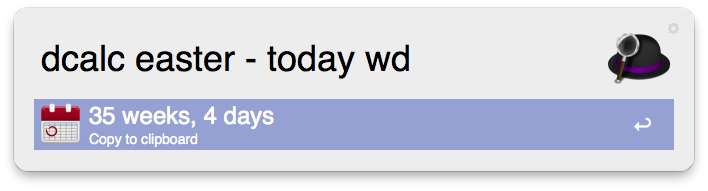
Hello!
To help you with getting to grips with the Date Calculator Workflow, I've put a couple of short examples here:
Basic macros
dcalc today – gives today's date
dcalc time – gives the current time
dcalc yesterday – gives yesterday's date
dcalc tomorrow – gives tomorrow's date
Date arithmetic
You can enter expressions that result in dates.
dcalc tomorrow + 1d – will give you the day after tomorrow
dcalc today + 1w – returns the date one week from today
You can also subtract from dates:
dcalc 25.12.2014 - 1w1d – will give you the date 1 week and 1 day before Christmas. Alternatively, you can also use:
dcalc 25.12.2014 - 8d
to give the same result. dcalc understands the following time operators for addition and subtraction:
| Symbol | meaning | remarks |
|---|---|---|
| y | years | |
| m | months | |
| d | days | |
| h | hours | |
| M | minutes | Note that this is a capital 'M' to distinguish it from months |
To make things a little easier on the fingers and the memory, I've also added a few abbreviations for common date patters. If you type a recognised pattern then the workflow will fill in the date for you.
| symbol | alternative | meaning | remarks |
|---|---|---|---|
| date | today or * |
current date | |
| time | & | current time | |
| now | # | current date and time | |
| yesterday | < | yesterday (believe it or not) | |
| tomorrow | > | tomorrow | |
| easter | the next occurrence of Easter Sunday | ||
| next (see remarks) | next followed by a day of week | mon, tue, wed, thu, fri, sat, sun | |
| prev (see remarks) | the date of last day of the week given as a parameter | mon, tue, wed, thu, fri, sat, sun | |
| start bst | next date for the start of British Summer time | ||
| end bst | next date for the end of British Summer time | ||
| start year | start date of the current year | I have no idea why I put this one in. | |
| end date | last date of the current year | See above | |
| next month | the first date of the next month | ||
| passover | The next passover date on the Jewish calendar | I suggest you check this result with your nearest Rabbi. I'm not too sure on the calculation for this. | |
| pancake day | Included because it's a shame to miss it. | ||
| lent | first day of the next occurrence of Lent | ||
| milk | Martin Luther King Day | ||
| mum | Mother's Day in the UK | ||
| mom | Mother's Day in the US | ||
| mutter | Mother's Day in Germany | ||
| Christmas |
So you want to know how many days left until Christmas?
dcalc christmas - today
Incidently, for subtraction calculations you can put the two operands in any order, so
dcalc today - christmas
By default, DCalc will deliver the results in the most intelligent format based on your query, though you can change this by adding a formatter to the end of the calculation. For example, the above query might deliver your answer in months, weeks and days, but what if you wanted it in days only?
dcalc today - christmas d
Adding the 'd' gives the result in days. You can also have the answer given in weeks
dcalc today - christmas w
Or how about months, week and days?
dcalc today - christmas mwd
The format codes are exactly pretty much as you'd expect
| symbol | meaning | remarks |
|---|---|---|
| y | years | |
| m | months | |
| w | weeks | |
| d | days | |
| h | hours | |
| M | minutes | Note that we have used a capital letter to distinguish it from the months symbol |
| long | abbreviation for years, months, days |
There are also a handful of specialist formatters that can be used on their own (i.e. they cannot be combined with other format symbols). Here are a few examples.
dcalc 22.10.2014 wn
Oh, and you can also use an exclaimation mark instead of 'wn'.
dcalc 22.10.2014 !
Will give the week number that the 22.10.2014 falls inside. And if you want to know day Christmas will fall on this year …
dcalc christmas wd
will tell you.
The 'wn' command also has another format which will give you the start date of any week number in any year. For example
dcalc wn
delivers the start date for the current week number for the current year. Not much use really, so you probably want something like this:
dcalc wn 12
That's the start date for the week 12 of the current year. (I've assumed that the first day of the week is Sunday)
dcalc wn 2014 8
That's the start date of the eighth week of 2014.
Macros
Having to type in familiar dates would get a bit tedious after a while, so I've added a basic macro tool to save your special dates. To get the list of existing macros, enter
dcalcshow list
From here you can change or delete an entry. If you want to add a new one then use something like this:
dcalcset list add wife 23.10.1960
Now if you try the show list command again then you'll see a new entry has been added. To use the macro in a calculation, just prefix it with a carat(^) symbol.
dcalc ^wife - 1d
Note that the using the carat gives the date supplied when the macro was added. If you leave out the carat, then you get the next occurrence of the date, which is handy for working out how long to go before you have to buy a present:
dcalc wife - today
Settings
dcalcset date format
WIll give you a list of date formats to pick from.
dcalcset time format
Allows you to set the time format, though I would recommend sticking with the 24-hour format because it saves having to type am and pm into the calculation.